★★★★★
The built-in sniffer finds .m3u8 links quickly and merged files play fine in VLC. A game changer for my online courses.
HiDownload is an HLS video downloader and HLS stream downloader for Windows. Download HLS / M3U8 / DASH streams with a built-in sniffer—play and convert without a command line.
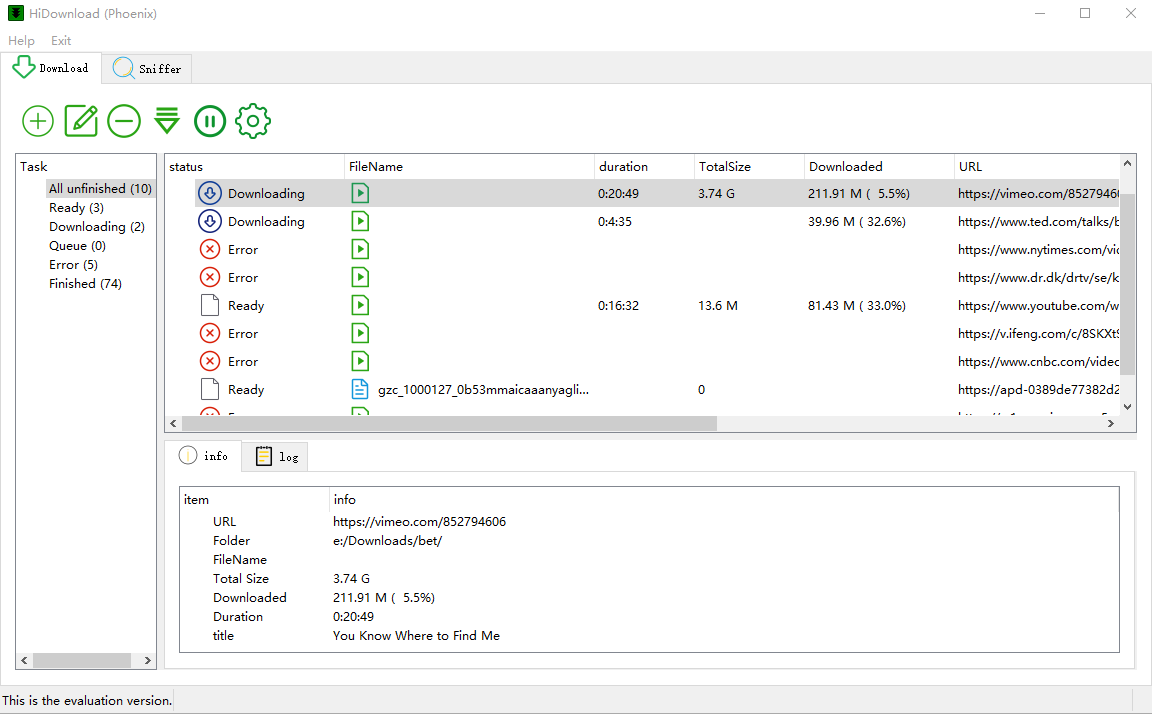
Built-in player and media converter — download, preview, and convert in one Windows app.
Preview finished downloads without leaving HiDownload. Check video and audio before you archive or convert them.
Convert files to MP4, MP3, MKV, AAC, WAV and other common formats with the built-in converter.
Everything you need to download, play, and convert streaming content.
The built-in sniffer finds M3U8, HLS, DASH, and MP4 links the page does not show.
Save on-demand video and live streams, then convert them if you need another format.
Keep the quality the playlist offers — HiDownload downloads the segments you choose.
Queue several playlists or episodes and let them download together.
Long jobs can resume after a drop so you do not start over.
No ads, no trackers. Your data stays on your device.
Three simple steps to save any stream or video.
Open the page and play the video or live stream in HiDownload.
HiDownload detects M3U8, HLS, DASH and MP4 links—click to capture.
Save the file locally, then play or convert it in the same app.
M3U8, HLS, DASH, live streams and more.
See what users say about HiDownload (Phoenix).
The built-in sniffer finds .m3u8 links quickly and merged files play fine in VLC. A game changer for my online courses.
We capture permitted sports replays in high quality. Live HLS jobs run smoothly until the broadcast ends.
The stream URL sniffer is amazing—finds hidden DASH links other tools miss. Simple enough for our whole IT team.
Free download for Windows. No subscription required to get started.