How to Use Video Chat in HiDownload (Phoenix)
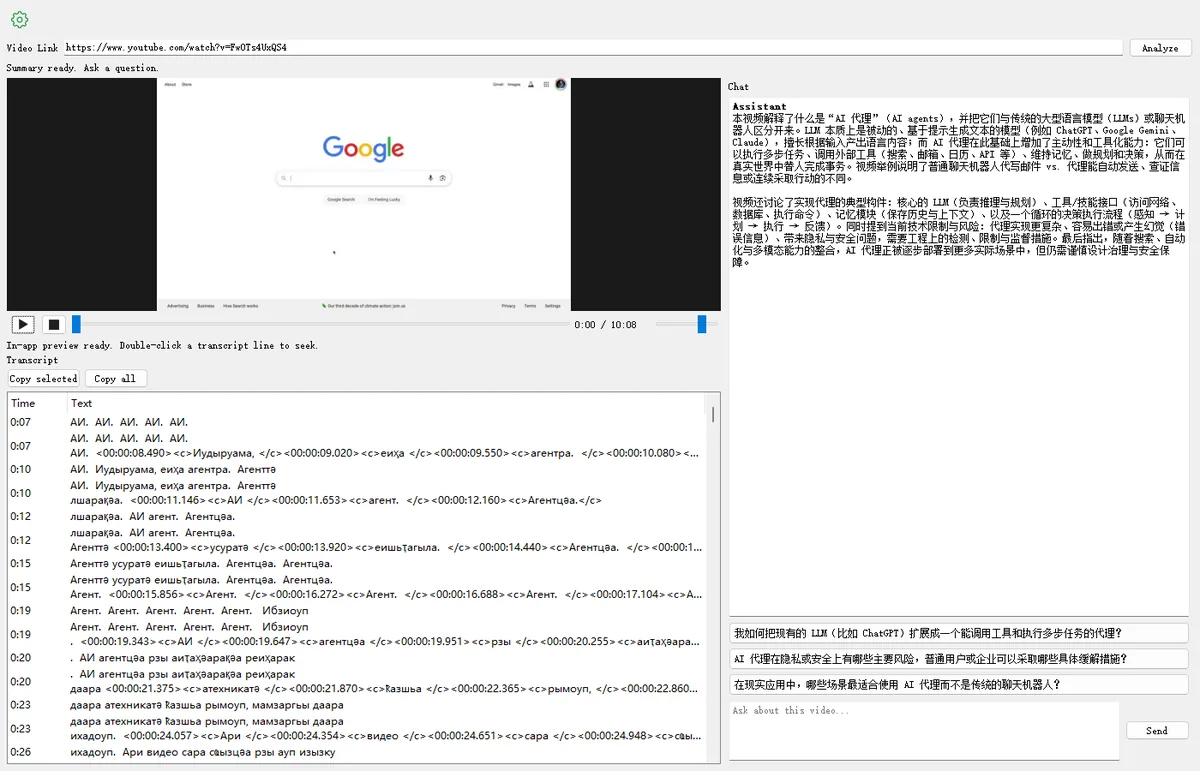
Video Chat lets you paste a YouTube link (or open a finished local download), generate a transcript even when the video has no captions, preview in-app, and ask AI questions with timestamp jumps. This walkthrough uses a sample YouTube video.
Try the web YouTube Chat · Download HiDownload
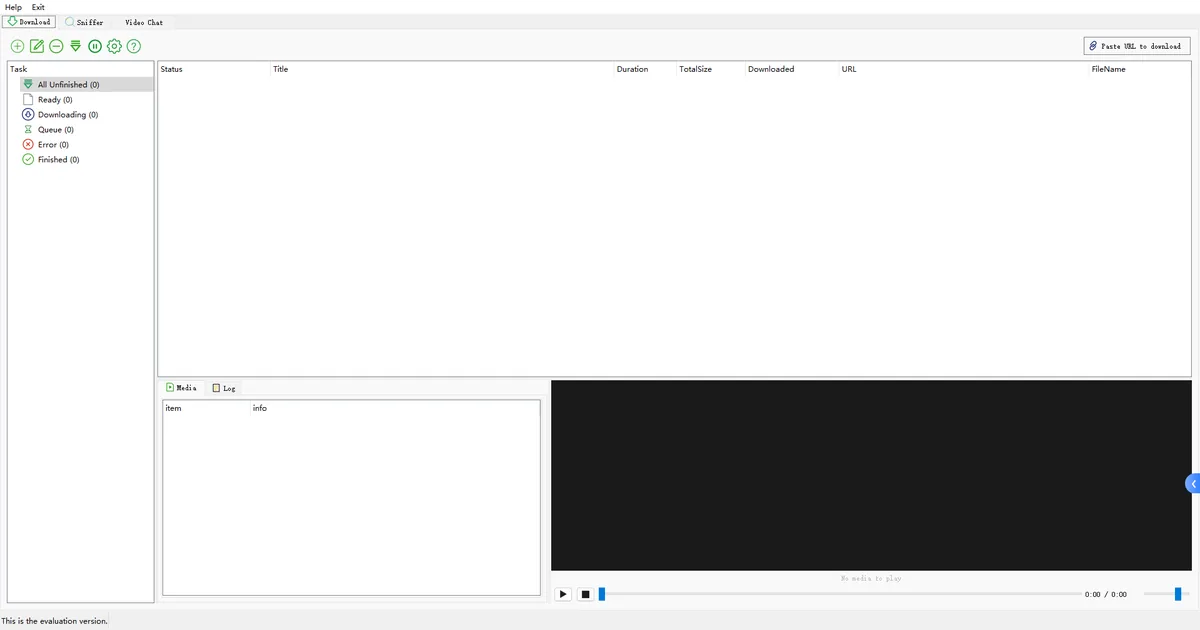
Open the Video Chat tab
Launch HiDownload (Phoenix). In the main window, click the Video Chat tab next to Download and Sniffer.
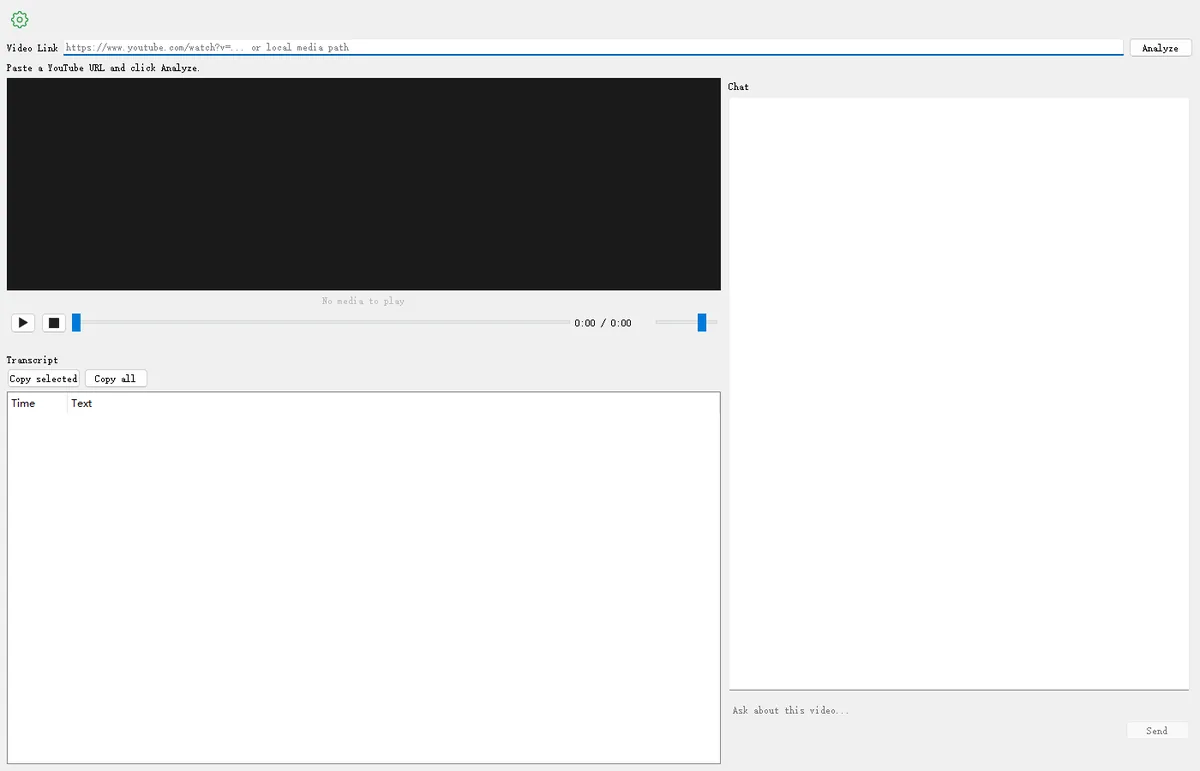
Paste a YouTube URL and Analyze
In Video Link, paste a YouTube watch URL, then click Analyze. HiDownload fetches captions when available, or uses AI to generate a transcript when the video has none, then prepares the in-app preview.
- Example used in this guide: https://www.youtube.com/watch?v=FwOTs4UxQS4
- You can also paste a local media path, or use Chat with the video from a finished download (see step 6).
- No captions? Analyze still works — AI creates the transcript so you can chat with the video.
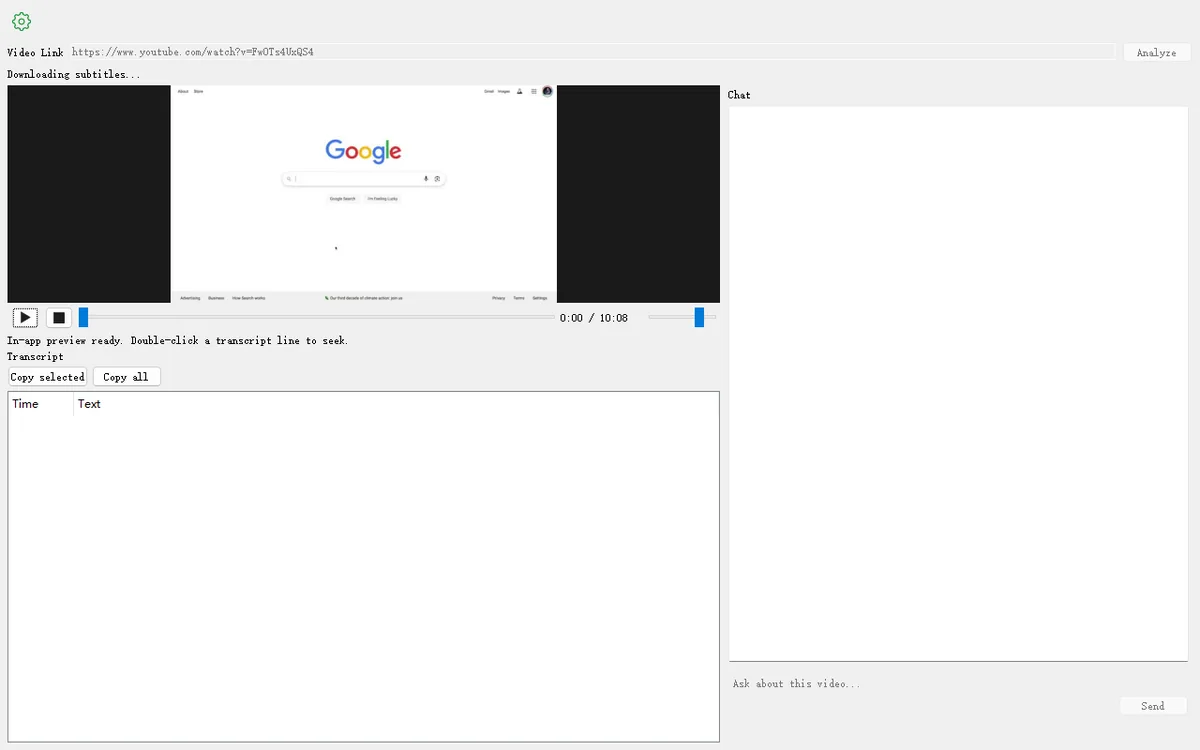
Watch the in-app preview
When the preview is ready, the player shows the video. Use play / pause / seek, or wait for the transcript list below the player.
Read the transcript
When analysis finishes, the Transcript panel lists time-coded lines — from existing captions or from AI-generated text. Use Copy selected or Copy all to reuse them outside the app.
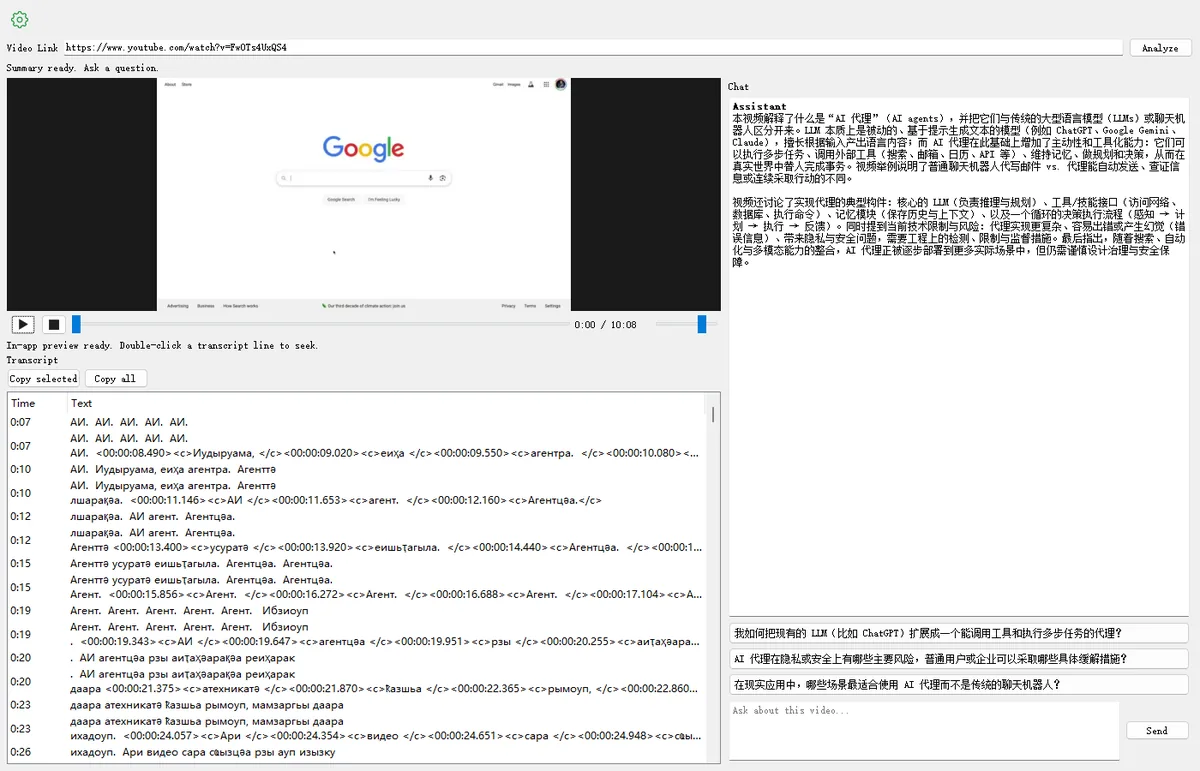
Ask the AI about the video
Type a question in Ask about this video… and click Send. While the model thinks, the Chat title shows thinking…. Answers can include timestamps you can click to seek.
- Open Settings (gear) to choose Server AI or your Custom API (Base URL / API Key / Model).
- Server AI needs a HiDownload account / tokens. Custom API uses your own key.
Chat with a finished local download
After a download finishes on the Download tab, right-click the task and choose Chat with the video. HiDownload switches to Video Chat, loads that file, reuses sidecar subtitles when available, or generates a transcript with AI when the file has no captions.
Sample video used in this guide
You can follow along with the same YouTube link:
https://www.youtube.com/watch?v=FwOTs4UxQS4